

Jam Circle
Jam Circle is the ultimate go-to for dancers, providing a simple and efficient event planning experience. With user-friendly navigation, filtering options, event creation, and calendar planning, it's your all-in-one solution for all dance event needs. Designed for a smooth and effective event planning process, Jam Circle caters to both event goers and organizers.
Role: UX Researcher, UX Designer, UI Designer
Project Context: Personal Project
Product Type: Social Media Application
Duration: 3 month
Tools: Figma, Miro, Mural, Protopie


Problem
Swing dancers found it difficult to keep track of dance events due to lacking a single location for event advertisements. The applications that did have event notifications were often overcrowded with extra information that didn't involve swing dance or were complicated to navigate. This led to frustration and missed opportunities for dancers to attend events.
Solution
I wanted to solve this problem by creating a dance event organizer application that provides a centralized and user-friendly platform for swing dancers to discover and track dance events. The application would streamline the event advertisement process and prioritize relevant information to enhance the user experience. This solution aimed to improve the overall event discovery and attendance for swing dancers.

Research
Secondary Research
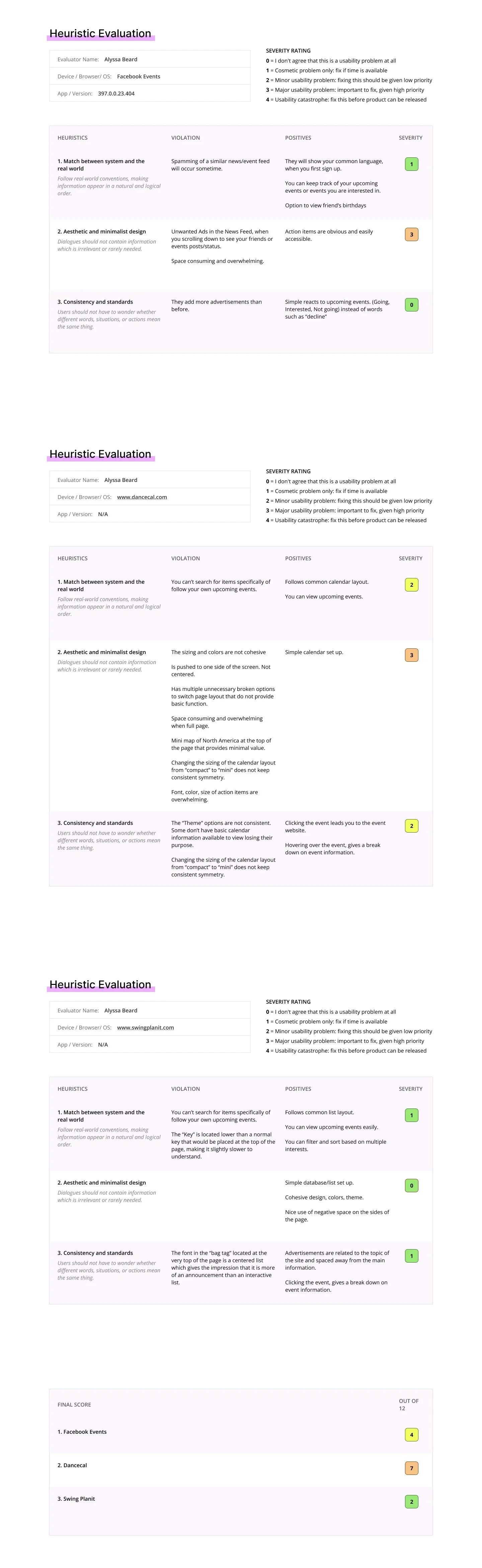
The main issue is disorganization, affecting event and travel planning for dancers. Without a clear timeline and information on overlapping events, dancers feel overwhelmed, unsure of friends' attendance, and face varied pricing challenges. An alternative solution is a comprehensive database for events to streamline information, including pricing, instructors, dates, competitions, performances, policies, and potential grants.

Heuristic Evaluation
Affinity Map

Research Synthesis


Ideate
User Personas
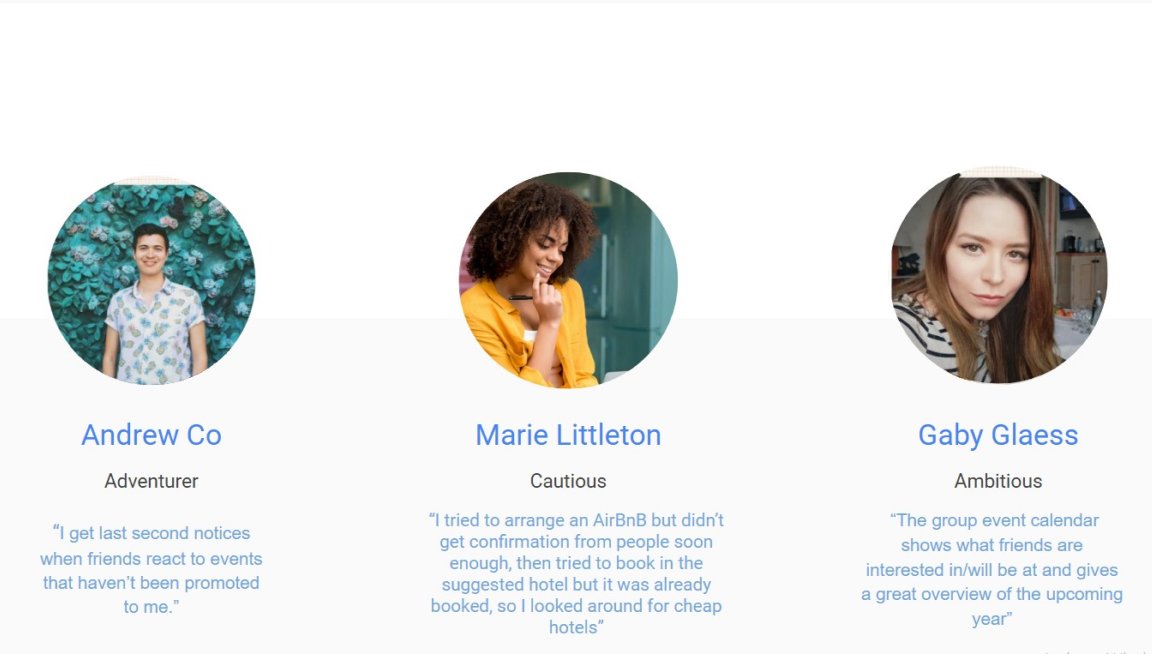
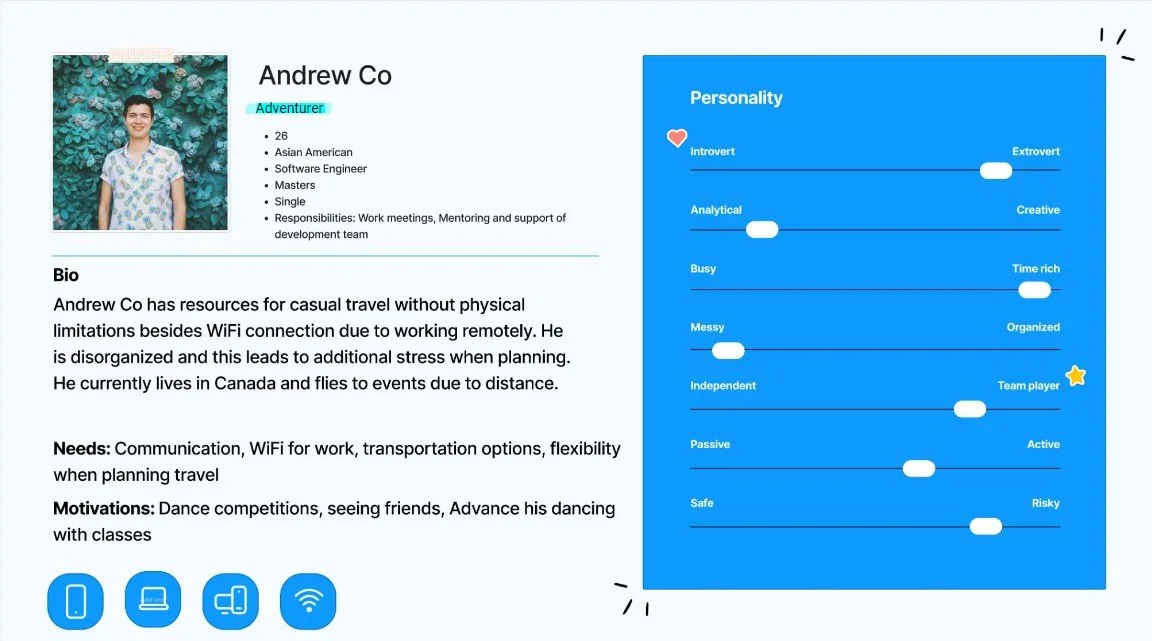
With the information gathered, I created 3 personas to get a better idea of the users I we are designing for. This is what really allowed us to see what specific needs, goals, pain points, and motivations users have when it comes to attending dance events, as dancers and dance instructors, that fit their specific needs.


Site Map & User Flows
A site map provided a structured overview, highlighting essential components and their relationships. This visual guide was crucial in focusing on must-have elements, serving as a strategic foundation. User flows, outlining step-by-step journeys, refined the user experience, ensuring logical navigation. Concentrating on must-haves, these flows guided the creation of a purposeful journey, aligning with the identified needs of dancers.


Design
Sketches
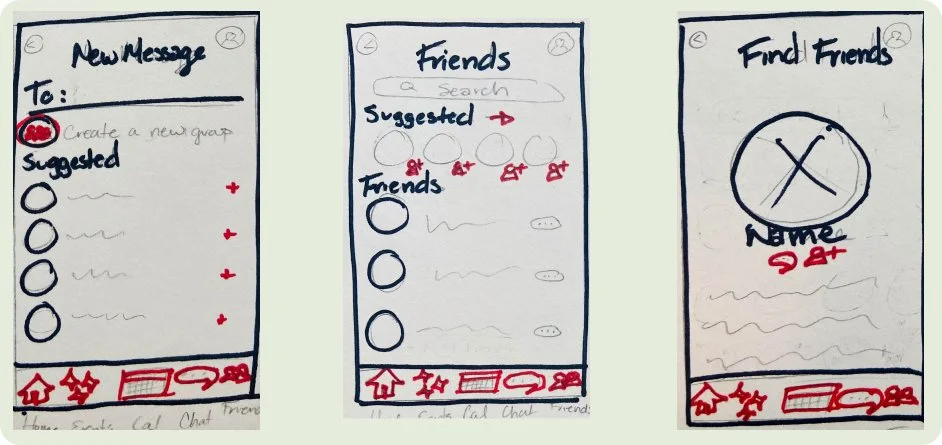
Employing user flows and a site map to streamline navigation on our website, I began the process with tailored sketches aimed at simplifying the experience for swing dance event enthusiasts. Our design philosophy prioritizes ease of use and clarity, aiming to create a user-friendly flow that allows users to effortlessly navigate and filter through event options, elevating the overall experience. The goal is to empower users with greater control and information, making their journey on the application a valuable and efficient one. These sketches are specifically crafted for individuals in the swing dance community seeking a seamless and informed event planning process.


Wire Frames
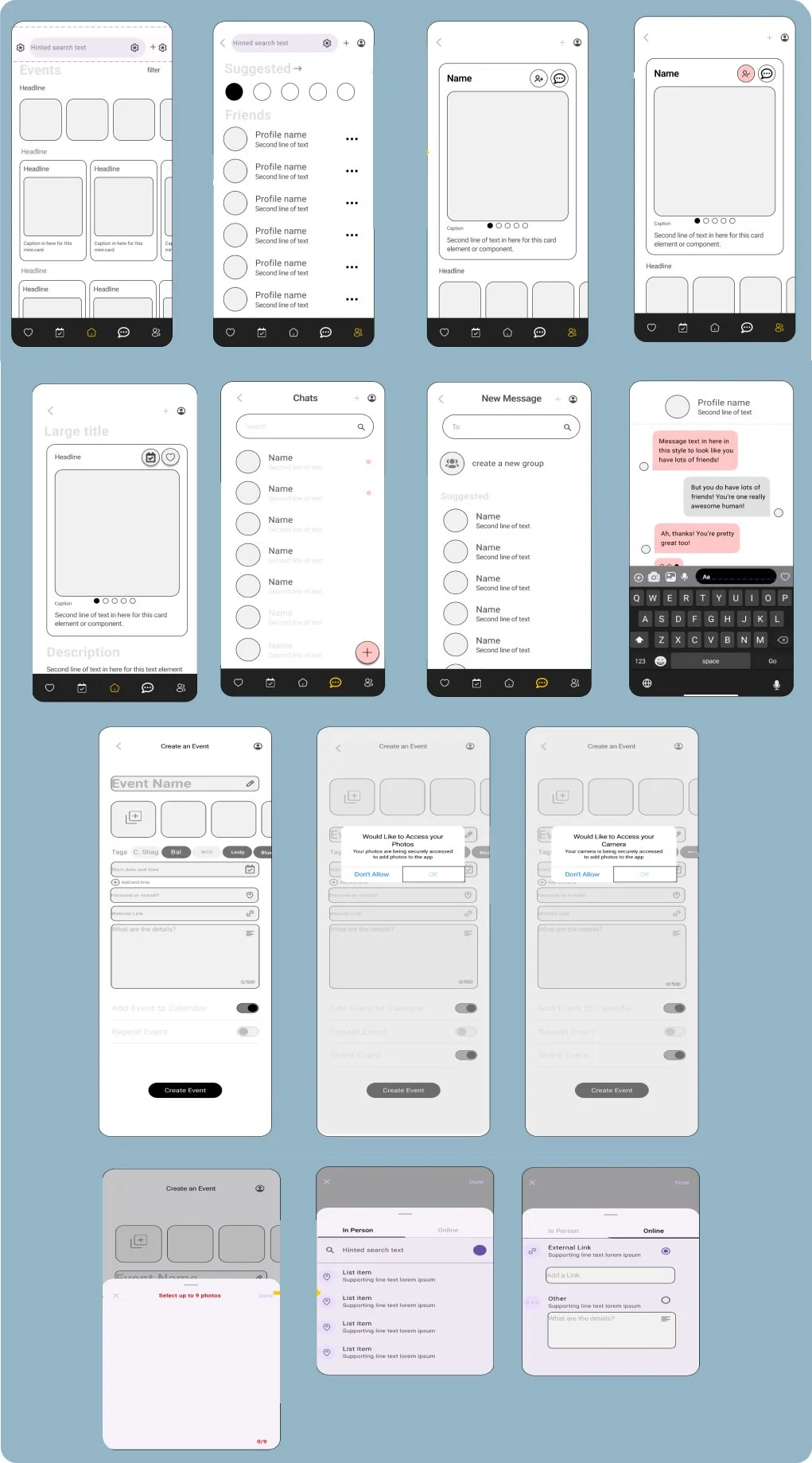
Wire Flows
Adding a Friend


Adding an Event to Calendar
Starting a New Chat

Creating an Event

Style Guide

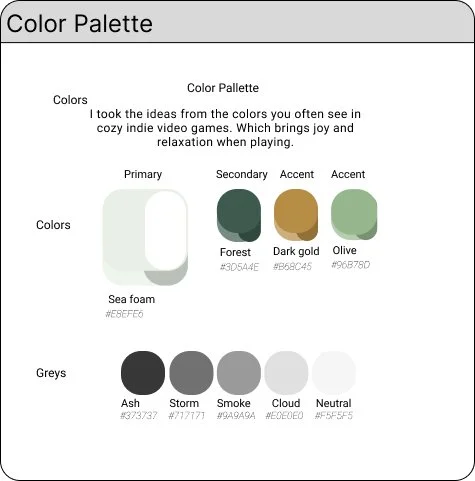


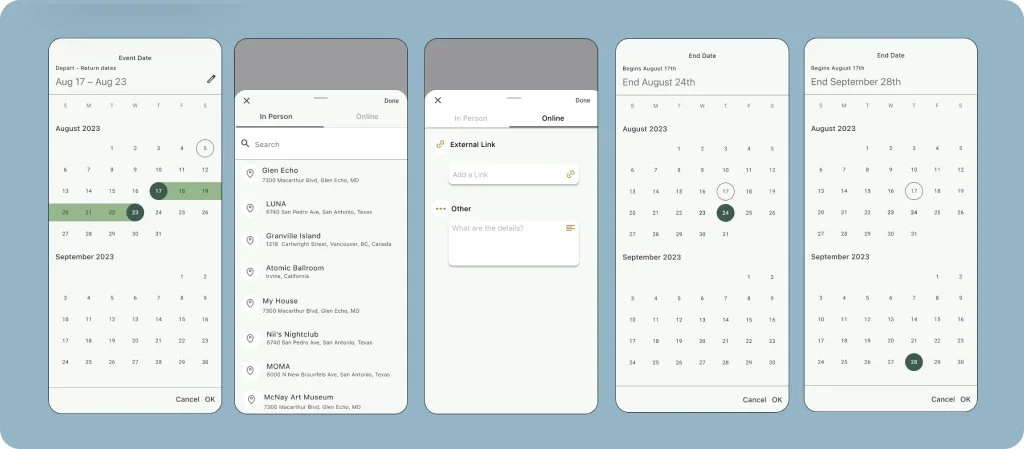
High Fidelity
Adding a Friend
Adding an Event to Calendar
Starting a New
Creating an Event



Testing
Usability Testing
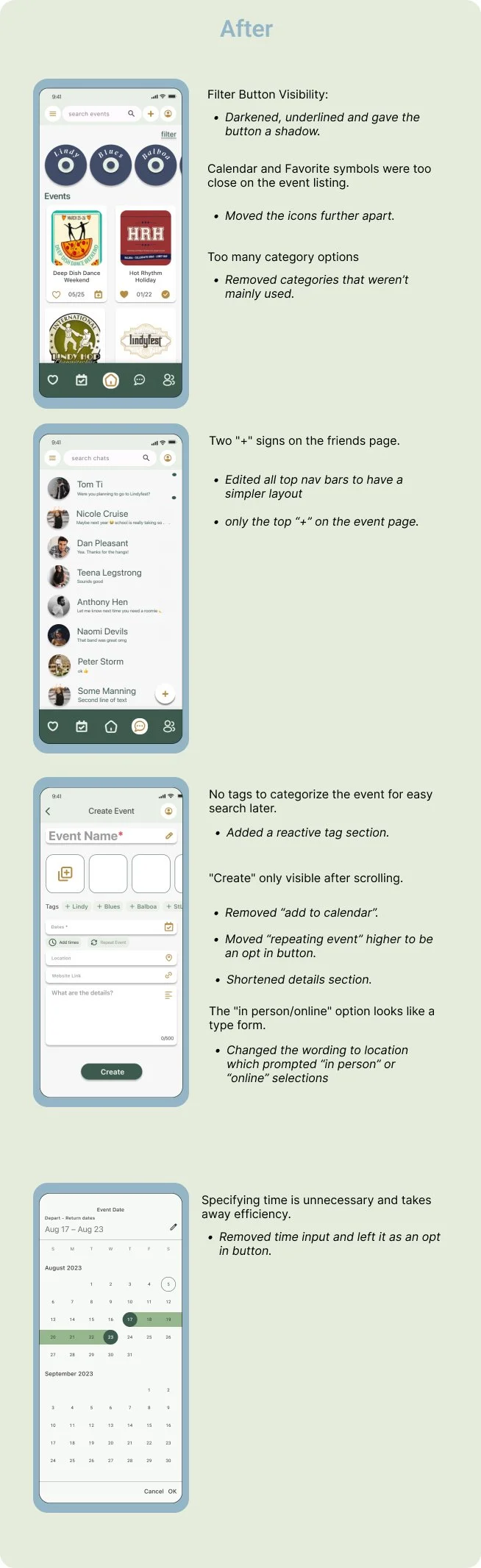
I created a high-fidelity prototype for usability testing and conducted two rounds of testing. In the initial round with 5 participants, challenges in the question flow and event creation page navigation were identified, leading to refinements for clarity and streamlining. In the second round with 5 new participants, the optimized flow resulted in smoother navigation, positive feedback on the UI's familiarity, and enjoyment of new shortcuts for a simplified experience. Small adjustments to shortcut options contributed to successful outcomes without confusion, with participants appreciating the application's layout and aesthetics.

Prototype
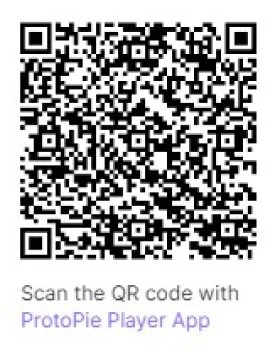
Click the link below or scan the QR code to view the high fidelity prototype in Protopie! Feel free to try out the tasks we assigned to our users that were mentioned above.
*(Best used with the iPhone 14)
Reflection
What I Learned
What’s Next


